Microsoft PowerToys
Free, open-source set of Microsoft utilities for Windows power users, from FancyZones to Command Palette.
- Pricing
- Open source
- Platforms
- Windows
- Categories
- Utilities & system
About Microsoft PowerToys
Microsoft PowerToys is a free, open-source collection of utilities that extend Windows for power users and developers. Tools include FancyZones for custom window layouts, Command Palette for launching apps and commands, Keyboard Manager for remapping keys and shortcuts, Always On Top, Color Picker, Image Resizer, PowerRename, File Locksmith, Peek for quick previews, a Hosts File Editor, Environment Variables manager, Mouse Without Borders for controlling several PCs with one keyboard and mouse, Awake, Crop And Lock, Light Switch and Advanced Paste, which has an optional AI feature. Each utility can be switched on or off. The code is developed in the open on GitHub.
Good for
Windows users who want window tiling, key remapping, a launcher and many small quality-of-life tools from one free, Microsoft-maintained package.
Watch out for
Windows only. The AI part of Advanced Paste is optional and needs extra setup.
Pricing notes
As of October 2026 PowerToys is free and open source.
Alternatives to Microsoft PowerToys
See all → WinRARFree trialTrialware Windows archiver for creating RAR and ZIP archives and extracting most common formats.Utilities & system
 RaycastFreemiumExtendable launcher for Mac and Windows with clipboard history, window management, extensions and AI.Utilities & system
 The UnarchiverFreeFree macOS app from MacPaw for opening RAR, 7z, Zip and many older or unusual archive formats.Utilities & system
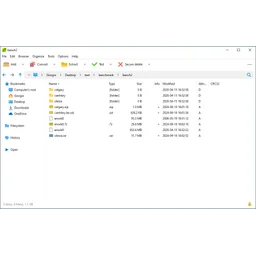 PeaZipOpen sourceFree, open-source cross-platform archiver and file manager supporting over 200 archive formats.Utilities & system
 7-ZipOpen sourceFree, open-source Windows file archiver with its own 7z format and support for dozens of formats.Utilities & system
 CleanMyMacFree trialMac cleaning and maintenance app from MacPaw for junk removal, malware scans, uninstalling and updates.Utilities & system