Which AI image generator gets text right? Five models, one poster (November 2026)
By The TopTool team · Published · 5 min read
All five image models we tested spelled a two-line poster correctly on the first try, so short text no longer separates the leading generators. The differences were in layout and unrequested extras: GPT Image 2.5, Nano Banana 2.1 and FLUX 3 Image kept the text clear of the art, Ideogram 4.5 let the art touch its headline, and Seedream 5.0 Pro added a sign we did not ask for.
In short
- Five of five models rendered the town name, the word order and all three ferry times exactly as written.
- Of the three models with no layout problem and no invented words, FLUX 3 Image cost least: 8 Flixly credits, against 9 for GPT Image 2.5 and 14 for Nano Banana 2.1.
- Ideogram 4.5 was the cheapest at 5 credits, but its lighthouse overlaps the bottom of the headline.
- Seedream 5.0 Pro invented a small sign reading FERRIES and returned the largest file, at 2048 by 2048 pixels.
- GPT Image 2.5 led LMArena’s text-to-image board on 26 October 2026, though one poster cannot confirm or challenge a ranking.
A year ago, a correctly spelled headline in an AI image was worth a screenshot. Most launch posts in 2026 lead with text rendering instead, and LMArena now scores it as its own category. So we tested the claim with a job a small business might actually have: a poster with a name, a line of small print and three numbers that have to be exact.
The test: one prompt, five models
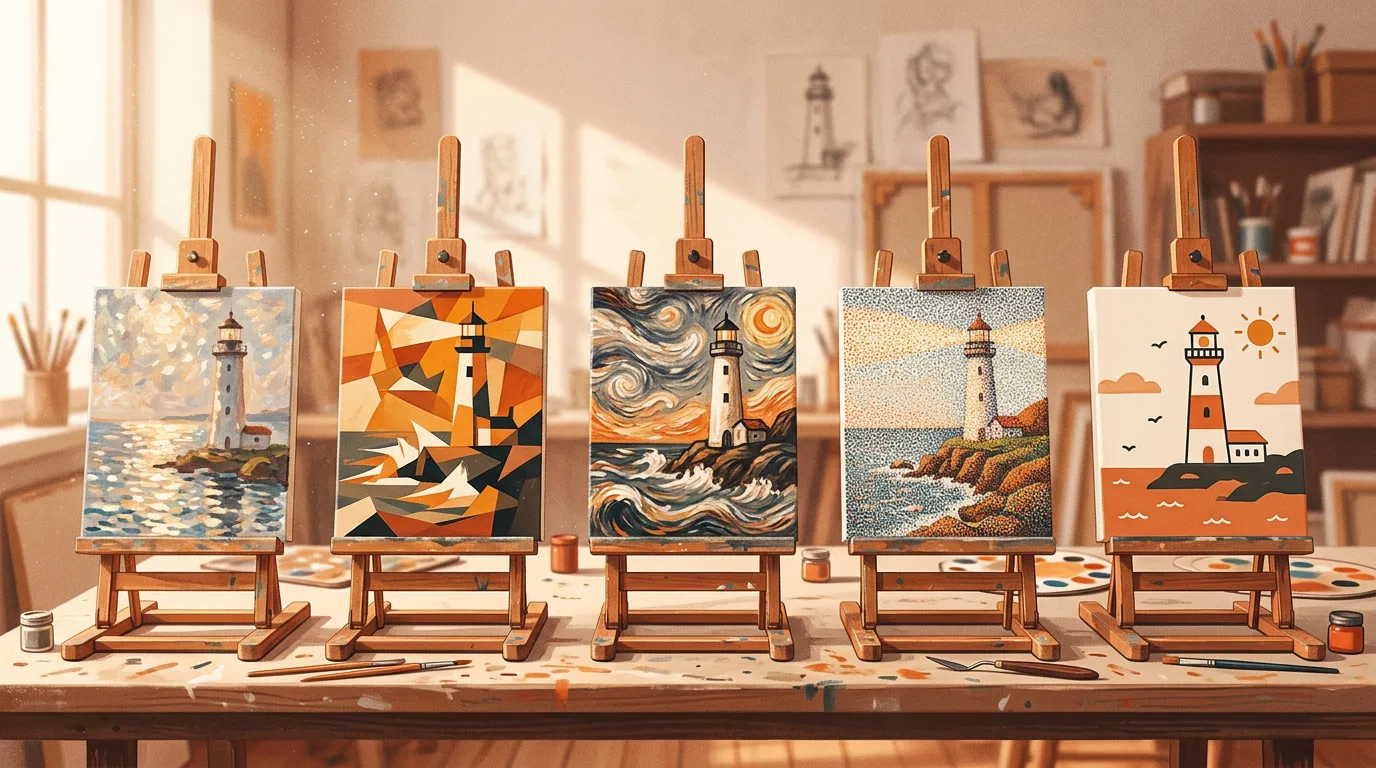
Each model got the same text prompt once, with no references, on 9 November 2026, through Flixly, a generator made by Softforge Digital, the company that runs TopTool. Here is the prompt: “A vintage travel poster for a fictional coastal town. Large headline text reads exactly: PORT ALMERA. Below it, smaller text reads exactly: Ferries daily 08:15 · 12:40 · 19:05. Illustration of a white lighthouse, a teal sea and two sailboats, flat screen-print style on warm cream paper.”
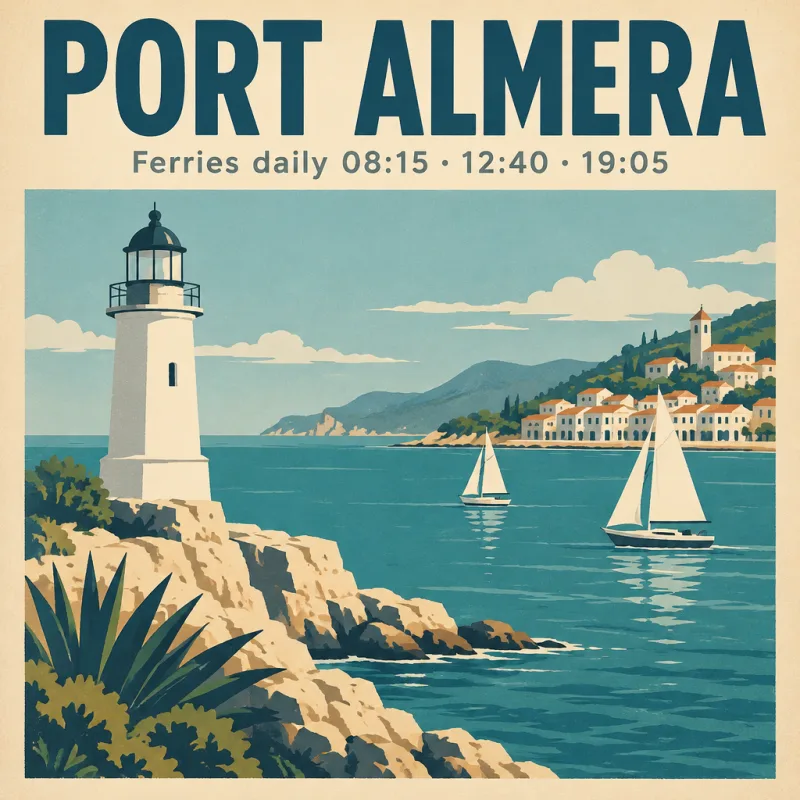
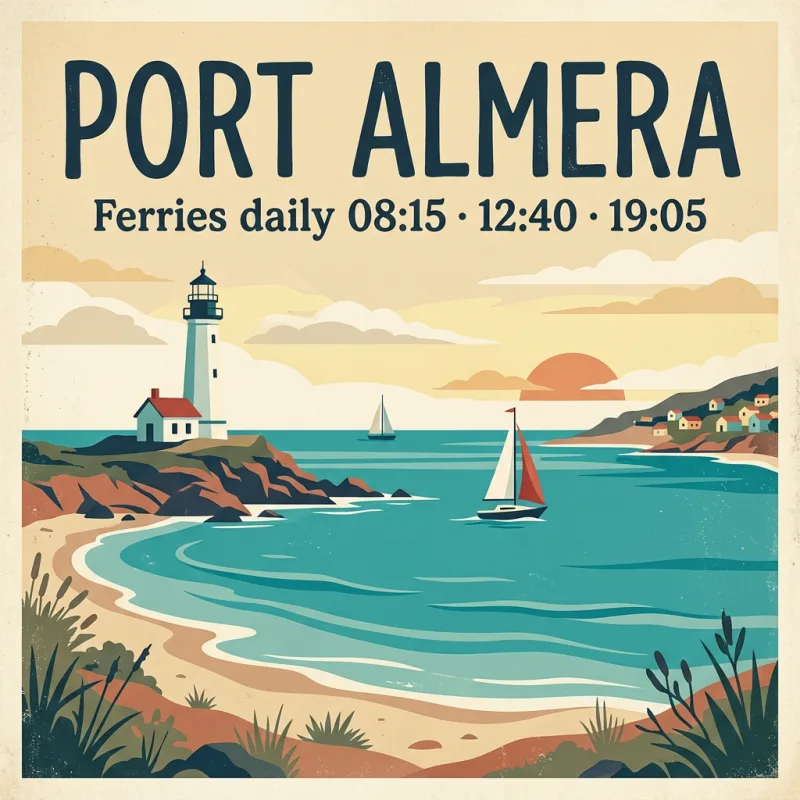
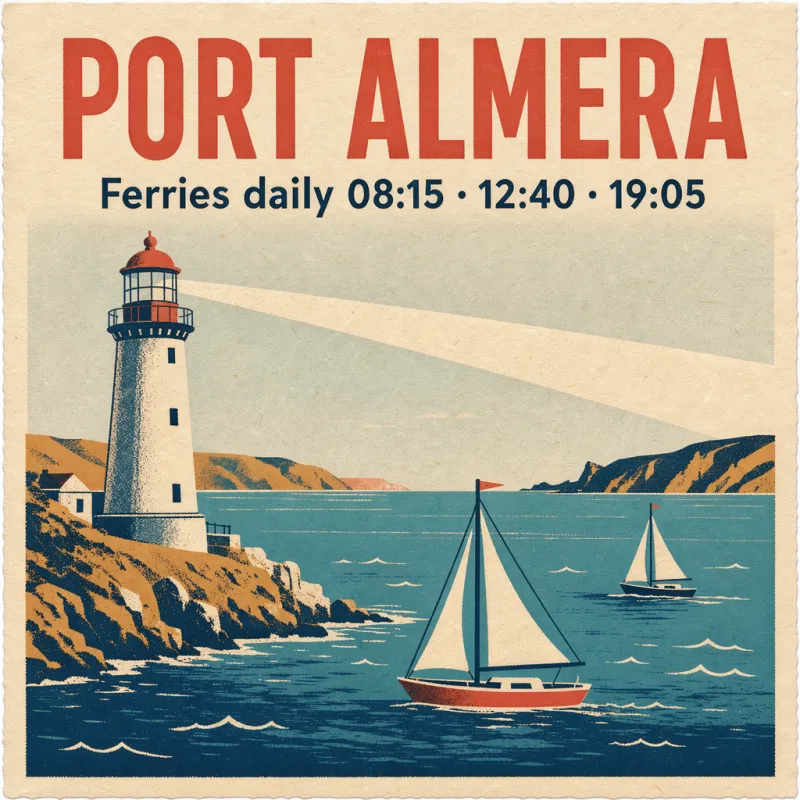
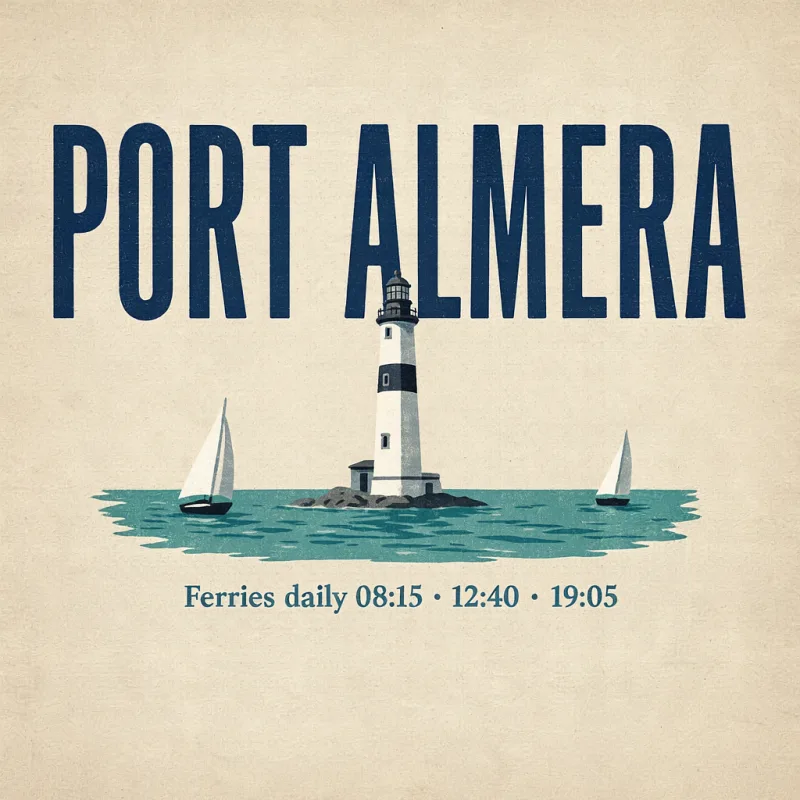
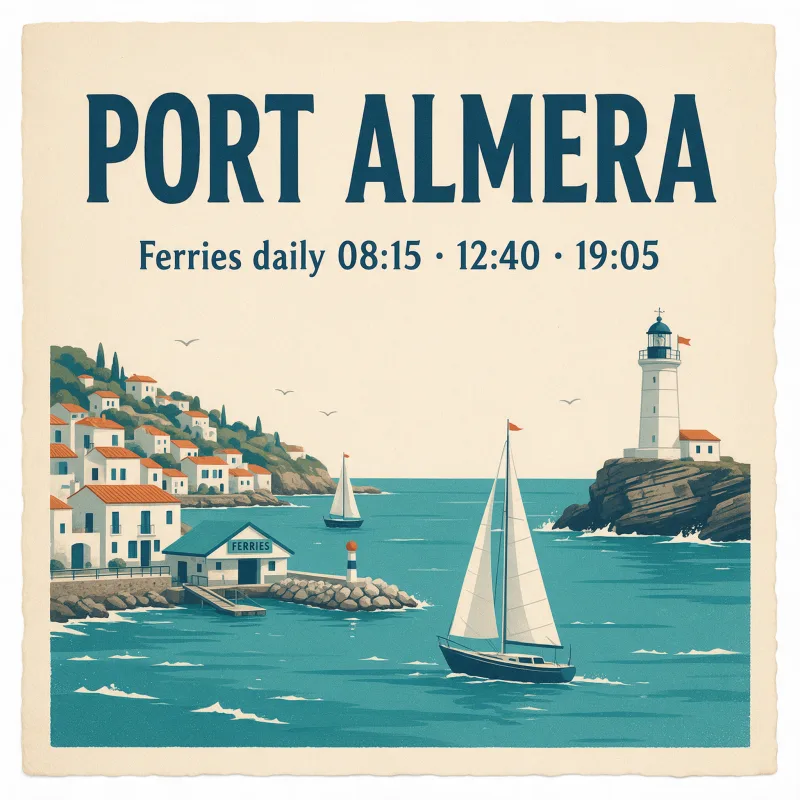
| Model | Text correct | Layout | Extras | Flixly credits |
|---|---|---|---|---|
| GPT Image 2.5 Sunburst | Yes | Text fills the top band, clear of the art | Added a town | 9 |
| Nano Banana 2.1 | Yes | Clean, with text on open sky | Added a sunset and a town | 14 |
| FLUX 3 Image | Yes | Clean; strongest print texture | Added a light beam | 8 |
| Ideogram 4.5 | Yes | Lighthouse touches the headline | None | 5 |
| Seedream 5.0 Pro | Yes | Clean, with generous margins | Added a sign reading FERRIES | 12 |
Treat the extras as a warning, not a quirk. On a real poster, an invented word is a proofreading error that no spell-checker will catch, because it was never in your copy. ImageForge’s same-prompt test of 15 models reached a similar conclusion in October: short text no longer separates these models, and unrequested extras are the most common deviation.
Which AI image generator to use for text
One poster cannot rank five models, so the table below combines what we saw with what public leaderboards and reviews reported this autumn. ChatGPT Images 2.6 shipped on 4 November, after the leaderboard snapshot, and was not available to us for this test.
| Job | Start with | Why |
|---|---|---|
| Posters and social graphics in a chat app | GPT Image 2.5 | First on LMArena’s text-to-image board on 26 October |
| High volume at low cost | Nano Banana 2.1 | Google’s 1K price fell to $0.0336 an image |
| Control and self-hosting | FLUX 3 Image | Bounding boxes in the prompt; an open-weight Klein version |
| Repeat edits to typography | Ideogram 4.5 | Reviewers rate it for layouts and multi-step edits |
| Dense infographics | Seedream 5.0 Pro | Launched with infographic and layer tools |
You can compare our notes on Ideogram, FLUX, Midjourney, Recraft and Adobe Firefly, or browse the design and photo category.
How to get accurate text from any model
- Write the exact words after a phrase like “reads exactly”, as we did here.
- Say where each line goes and how large it is compared with the others.
- Name the things you do not want, such as extra signs, slogans or logos.
- Generate at least two versions, then proofread every word and digit against your copy.
- For long copy, leave blank space in the image and set the text in a design tool such as Canva.
What this test did not cover matters as much as what it did. We used short Latin-alphabet text, one attempt per model, no edits and no dense layouts. Long paragraphs, non-Latin scripts and small print are where these models still pull apart, and if your work depends on those, run your own copy through two or three of them before you pay for a plan. Our Black Friday price guide shows how to compare what those plans really cost.
Questions people ask
- Which AI image generator is best at text in November 2026?
- GPT Image 2.5 led LMArena’s text-to-image board on 26 October 2026, but all five models we tried spelled a short poster correctly. For short text, choose on layout, price and editing features instead.
- Can AI image generators spell correctly now?
- For short text in the Latin alphabet, mostly yes: five of five models were correct in our one-run test. Long passages, small print and non-Latin scripts are less reliable, so proofread every output.
- Why did an AI image add words I did not ask for?
- Models often fill a scene with details they associate with the subject, such as a sign on a ferry building. Name unwanted elements in the prompt and proofread the whole image, not just the text you requested.
- Is FLUX 3 Image good at text?
- It spelled both lines of our poster correctly and kept them clear of the art, at 8 Flixly credits. That is one result from one prompt, so test it on your own copy.